Security & Compliance
Compliance Insights
“ More than 77% of IT leaders don’t think their company would pass all of its cloud compliance audits if they happened today.” Lacking insight in compliance standards and how those apply to their multi-cloud can be a large hurdle preventing businesses from migrating an application with regulated data to the cloud to begin with. MyLightedge provides a simple solution to this problem.
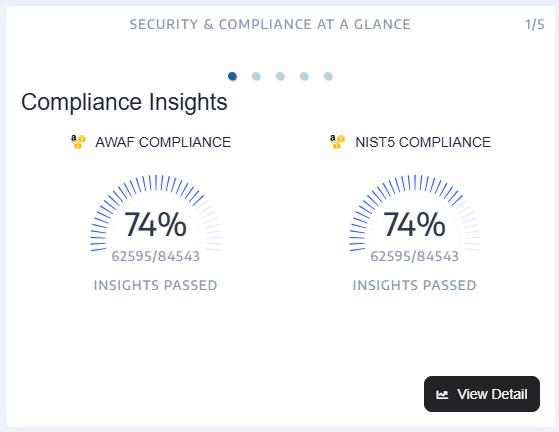
Compliance Insights automatically evaluate your multi-clouds’ compliance posture against relevant compliance stands. The card on your dashboard points out where compliance checks are failing or passing. Each compliance check is part of a ‘Compliance Standard’ that is applied to your cloud deployment. A detailed report can be accessed via the View Detail button.
Compliance Management
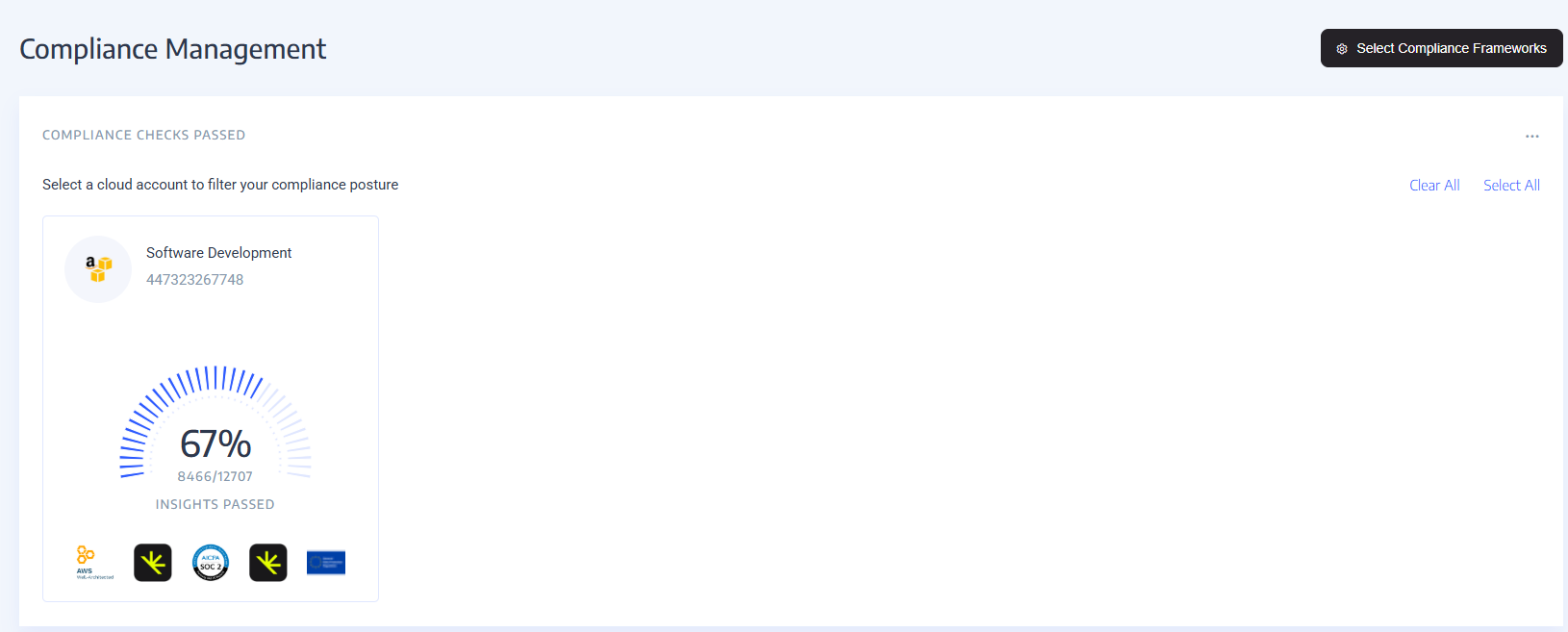
The Compliance Management View provides a quick summary of all of your Accounts and how they fair with the Compliance Frameworks that are most important to your organization. It also provides by default a view of the Compliance Frameworks important to your company and how compliant you are within each Framework across all of your accounts. Lastly, it provides a list of all compliance checks from those frameworks detailing how many of your resources passed or failed along with the severity of the check and much more.
Compliance Frameworks
MyLightedge provides the ability to check your multi-clouds’ compliance posture against one to many of the most relevant Compliance Frameworks in such a way that is easy to gain needed insights. The Select Compliance Frameworks button opens to show a list of all the current Compliance Frameworks available. By toggling the radio switch to the right for any Frameworks your company cares about, you can enable the view and metrics of your multi-clouds against that particular Framework. By default, Lightedge is capturing data on every Compliance Framework listed for your multi-clouds but provides this ability to limit the view to only those Frameworks that aide your businesses compliance posture.
Note
The Account boxes are filters so when selected it limits the sections below, “Compliance Frameworks” & “Compliance Check List” to just those checks that are part of the Account(s) you have filtered to. If no filter has been selected then all checks will be displayed for all Accounts.
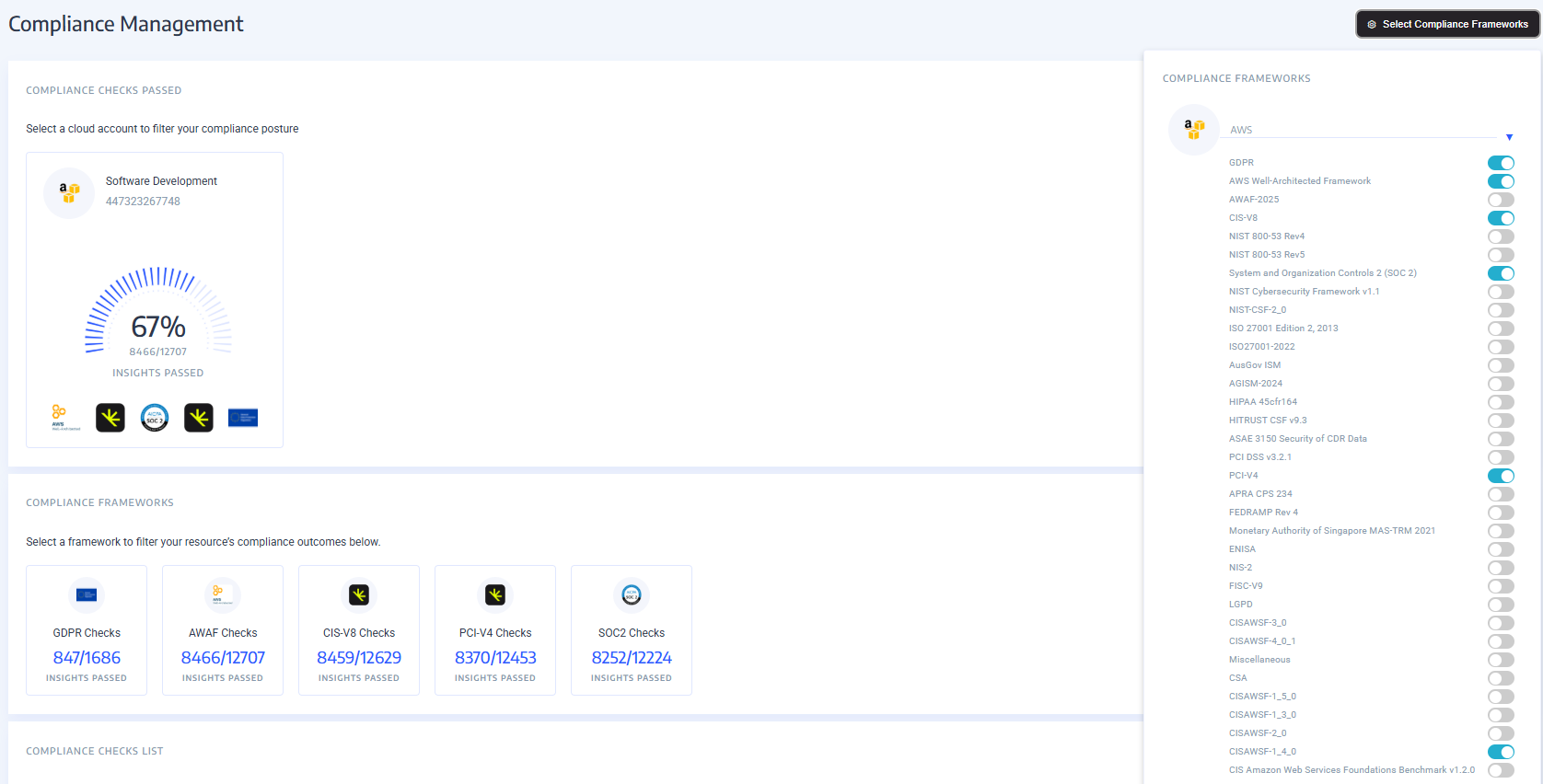
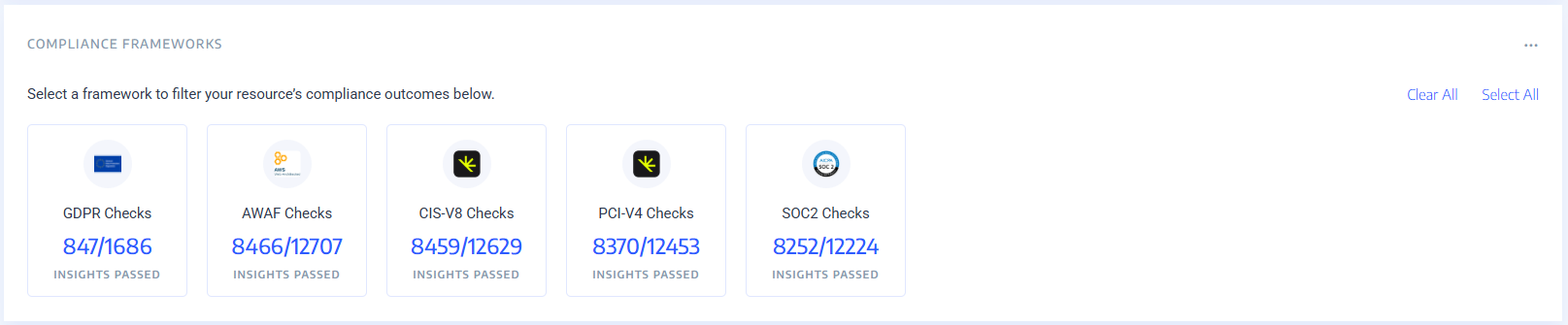
Within the Compliance Frameworks section it provides by default a view of the Compliance Frameworks important to your company and how compliant you are within each Framework across all of your accounts.
Note
The Framework boxes are filters so when selected it limits the section below, “Compliance Check List” to just those checks that are part of the Frameworks you have filtered to. If no filter has been selected then all checks will be displayed for all selected Frameworks within Select Compliance Framework.
Compliance Check List
This section provides a list of all compliance checks from the frameworks you have selected detailing how many of your resources passed or failed along with the severity of the check and much more.
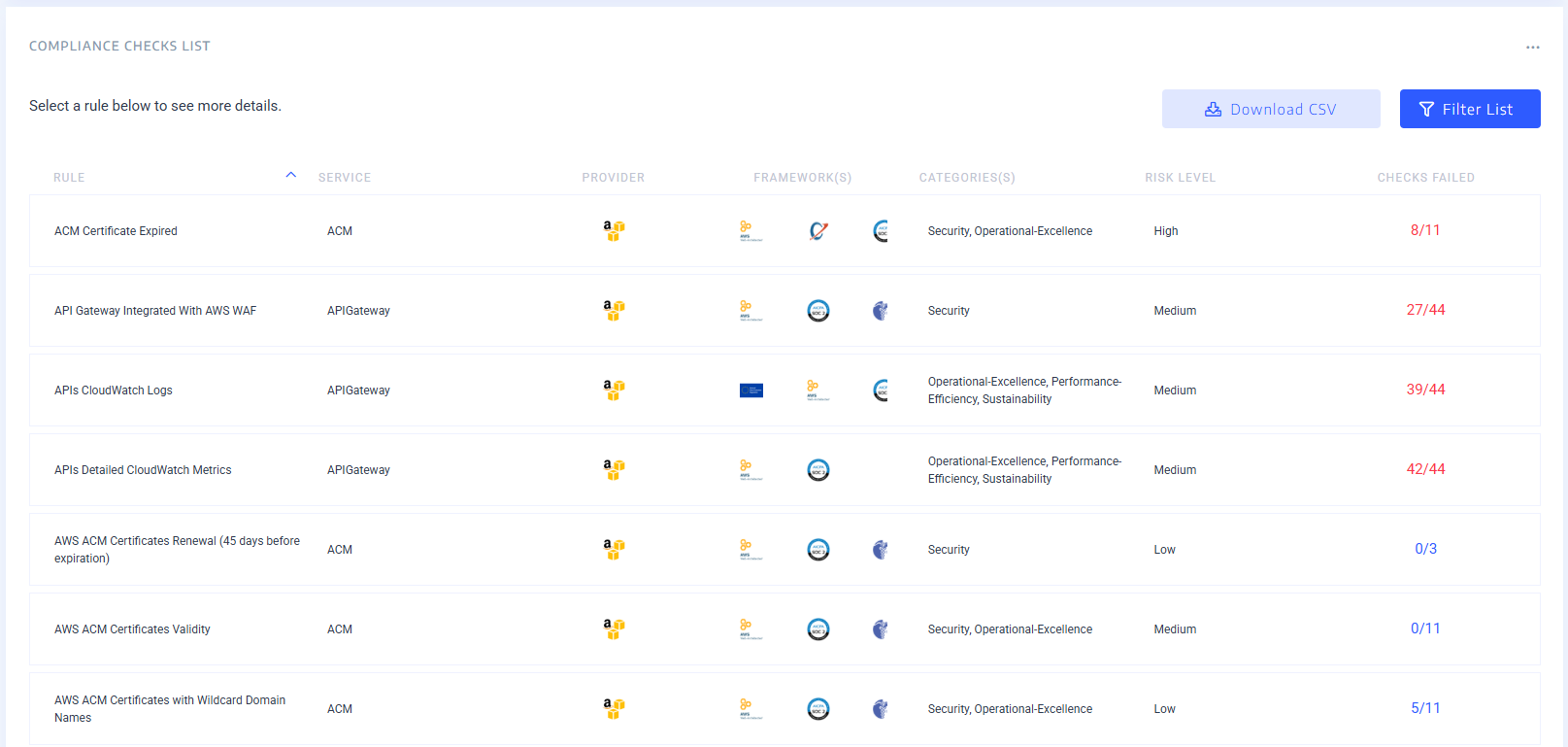
Here you can view which checks are applicable to which Frameworks, services, providers, and which categories and risk levels they a part of. Also listed is how many resources failed a given check out of the total resources checked. You can Filter this data even further or download it using the button in the top right hand corner of this section.
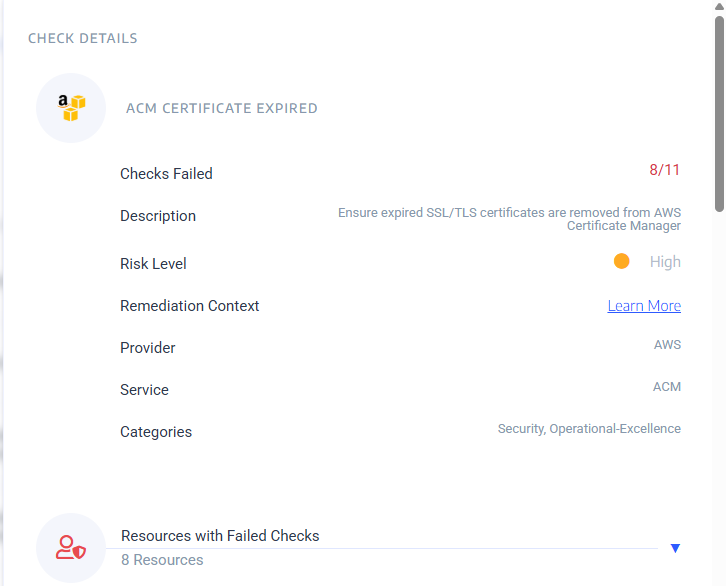
To view the details of a given check click on the check itself and a detail blade will open on the right side of the screen. From here you will see a brief description of the check, the risk level, a link to remedial steps and context along with which specific resources failed and which succeeded.
AWS Security Advisories
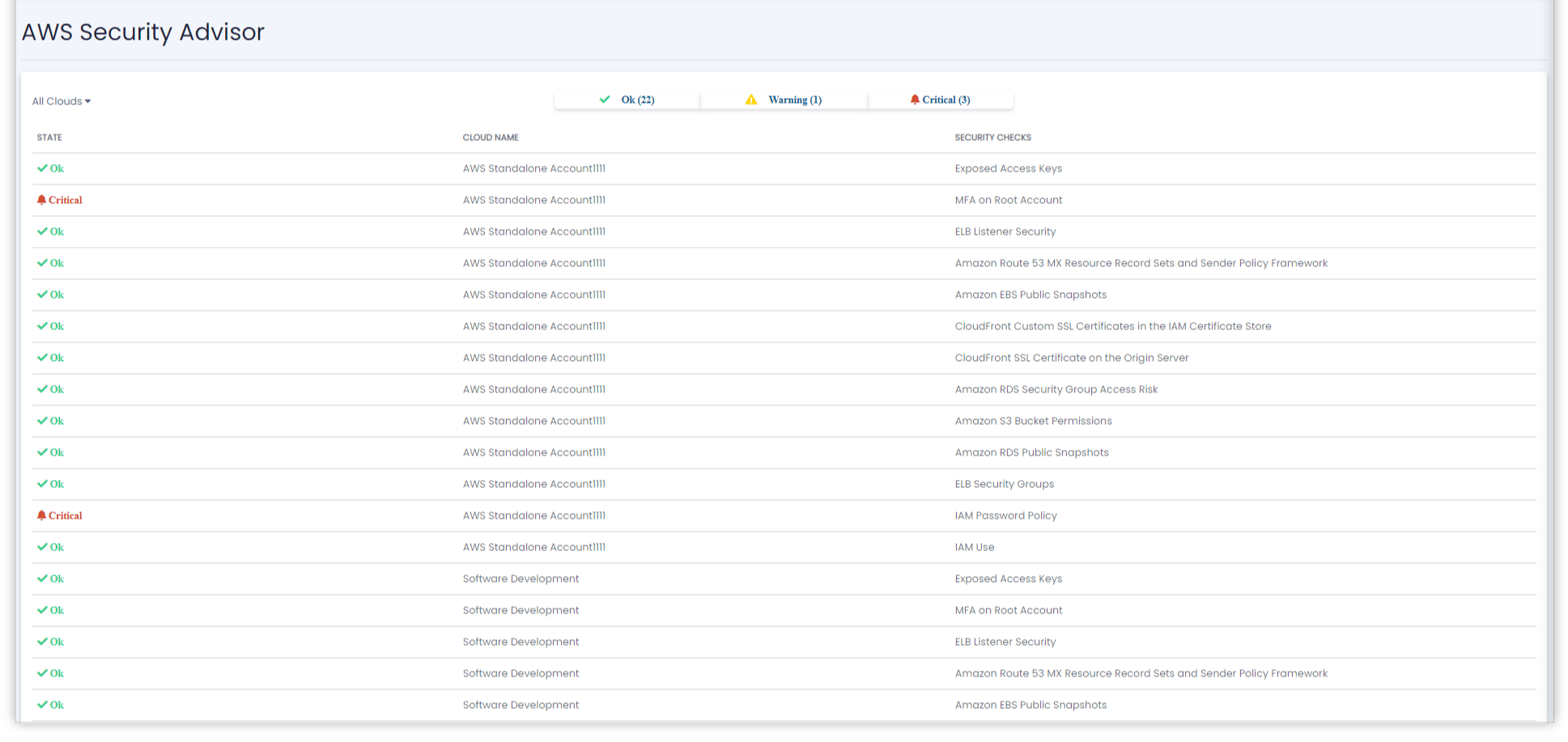
AWS Security Advisories provide a quick overview of anything that may affect your AWS Cloud’s security posture. It includes passed security checks, issued warnings and security alerts.
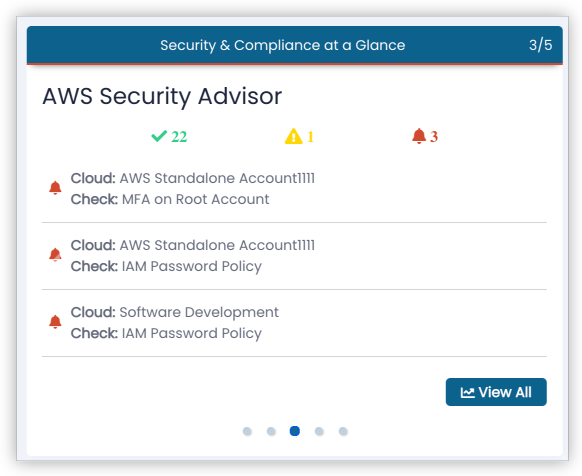
By default, the MyLightedge Dashboard only displays the top three alerts. The `AWS Security Advisories Detail` view provides a comprehensive list of all passed checks, warning as well as alerts and alert details.
Azure Security Advisories
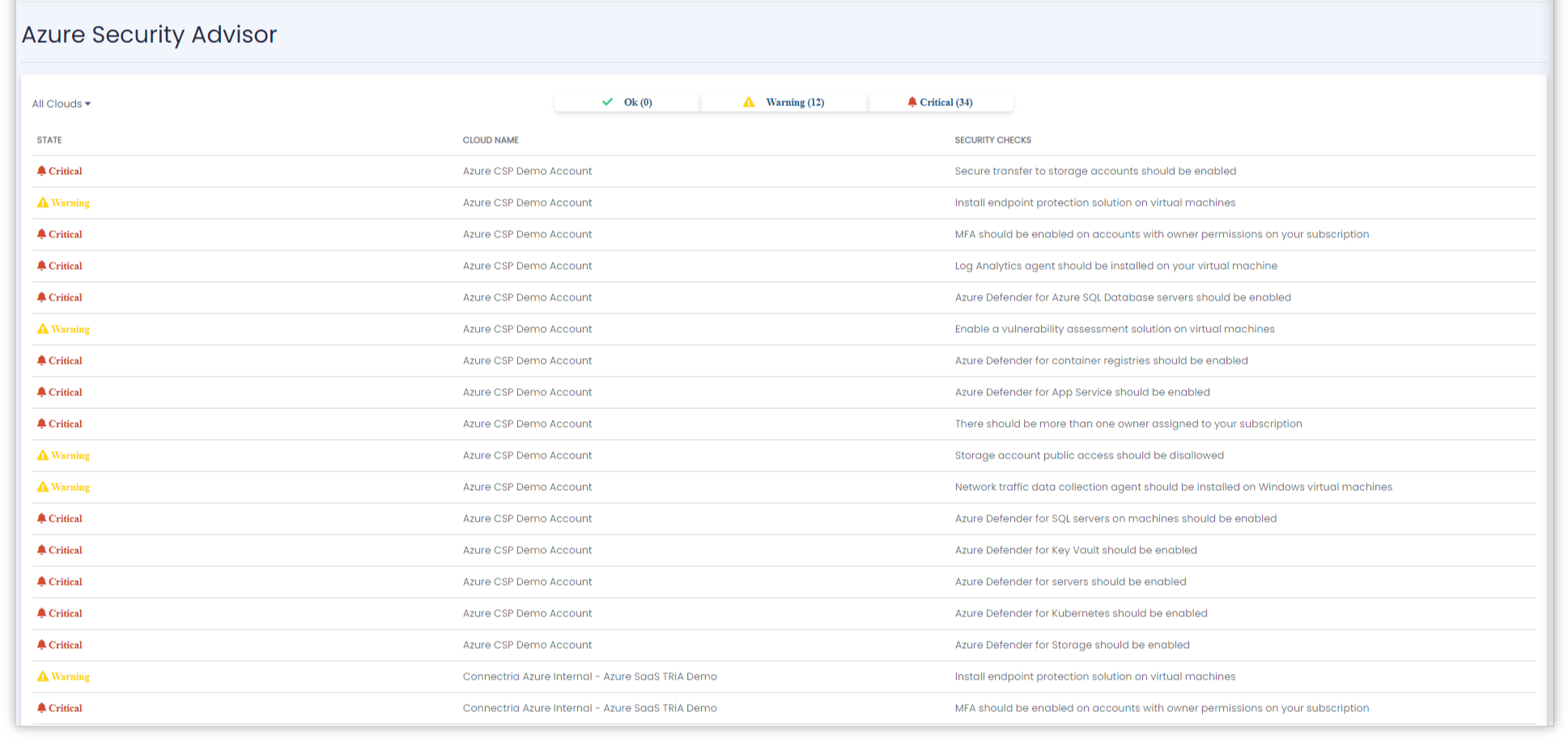
Azure Security Advisories provide a quick overview of anything that may affect your AWS Cloud’s security posture. It includes passed security checks, issued warnings and security alerts.
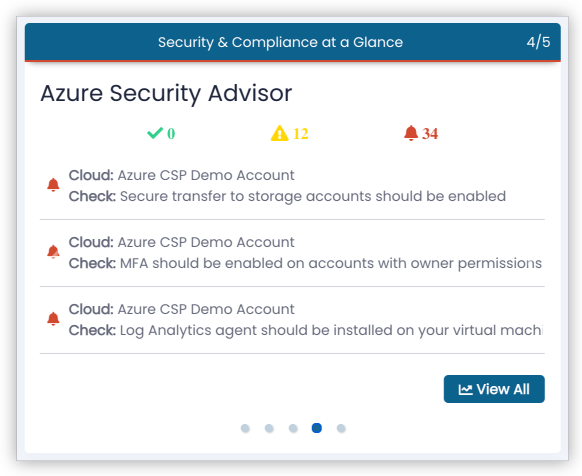
By default, the MyLightedge Dashboard only displays the top three alerts. The Azure Security Advisories Detail view provides a comprehensive list of all passed checks, warning as well as alerts and alert details.